Gmail integration
Connect Gmail to search email, organize messages, and prepare replies in Scape.
 Hilma BengtssonUpdated
How to connect Gmail to Scape
- 1
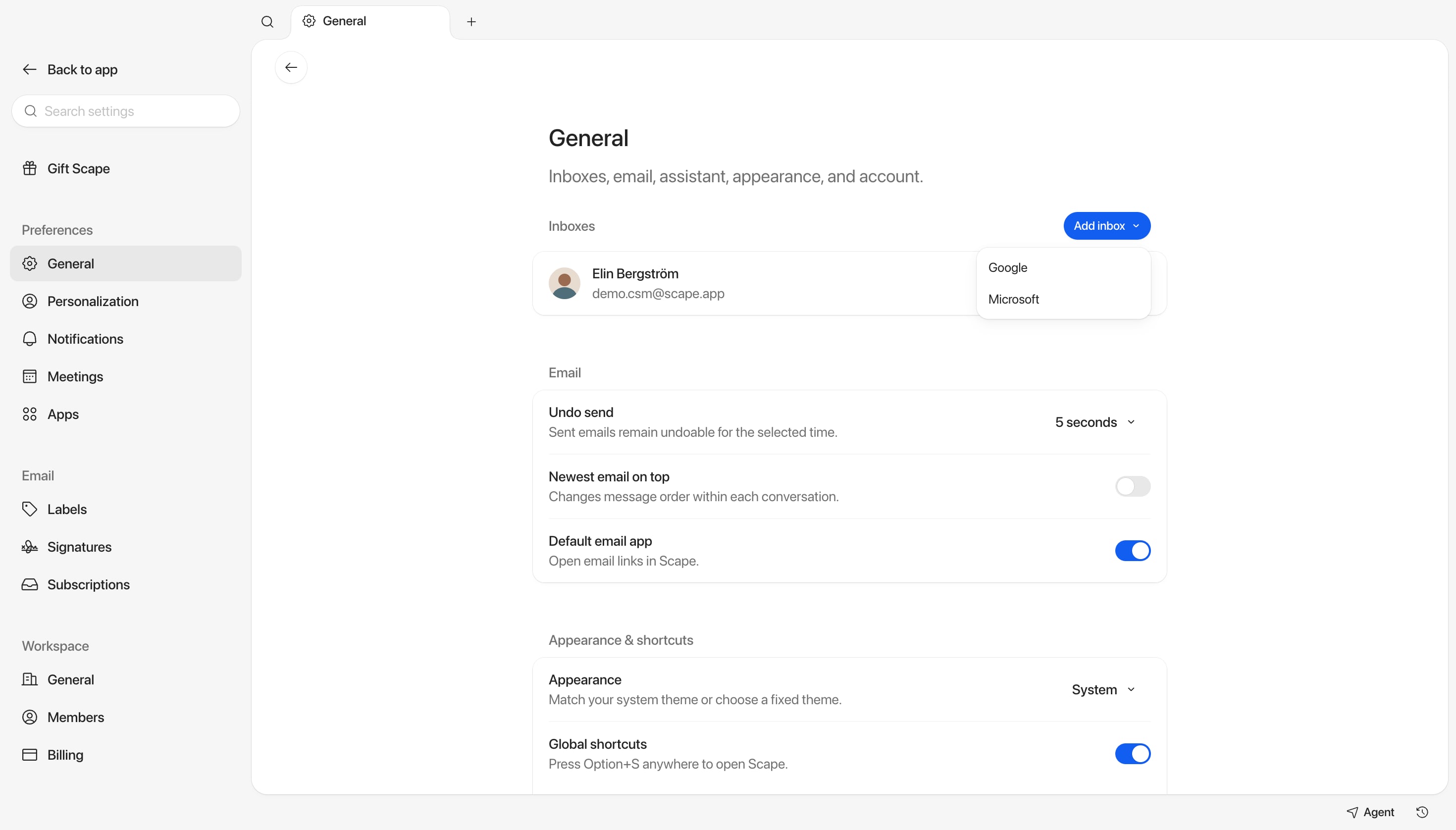
Open inbox settings
In Scape, go to Settings → General → Inboxes and choose Add inbox → Google.
- 2
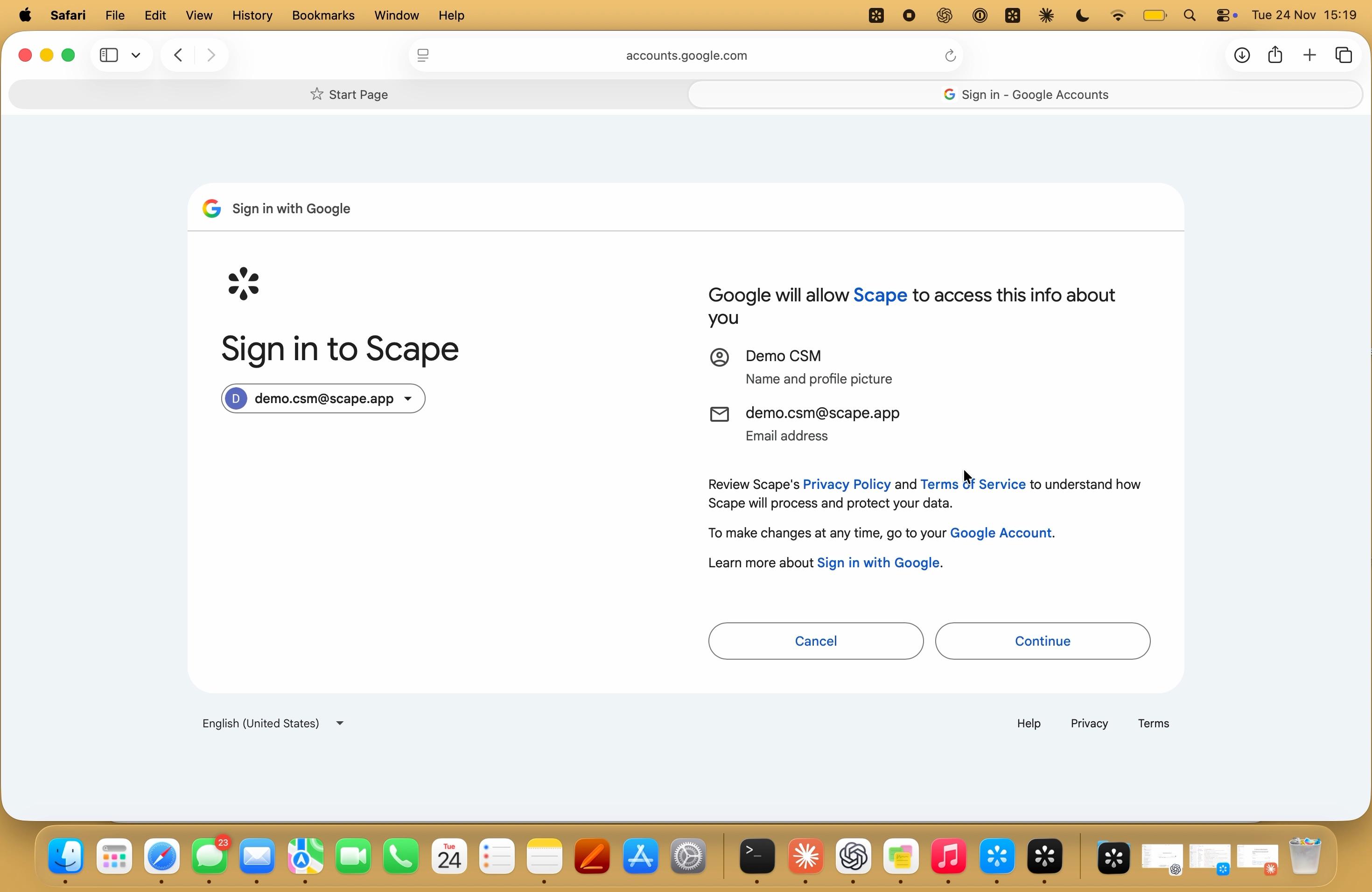
Sign in to Google
Select the Google account you use for email and review the access request. Follow any organization approval steps if your account is managed by a workplace.
- 3
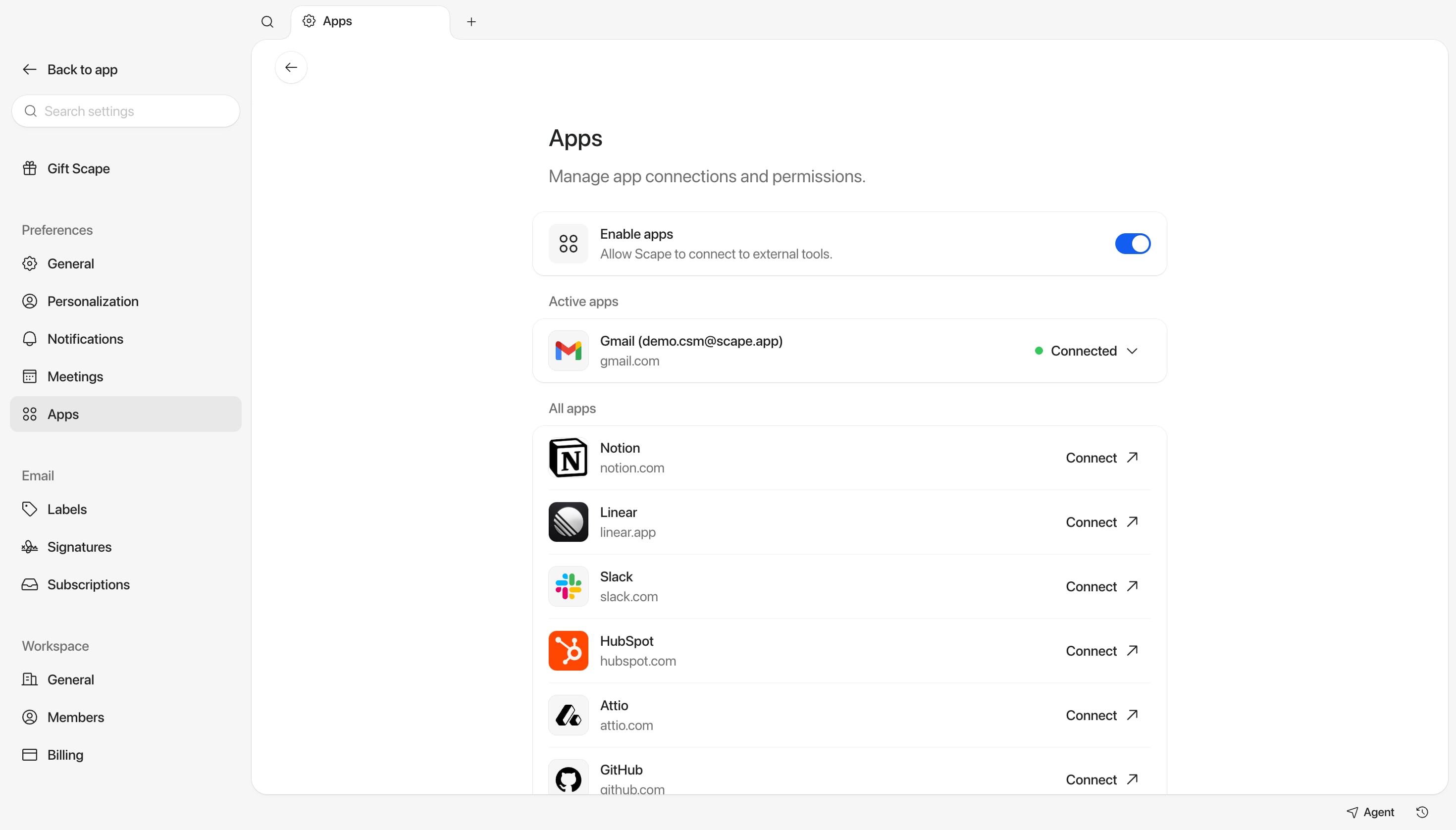
Check the connection
Open Settings → Apps and confirm Gmail shows as connected. Open the Scape Agent and ask it to find a recent email.
How to use Gmail in Scape
Find messages and catch up
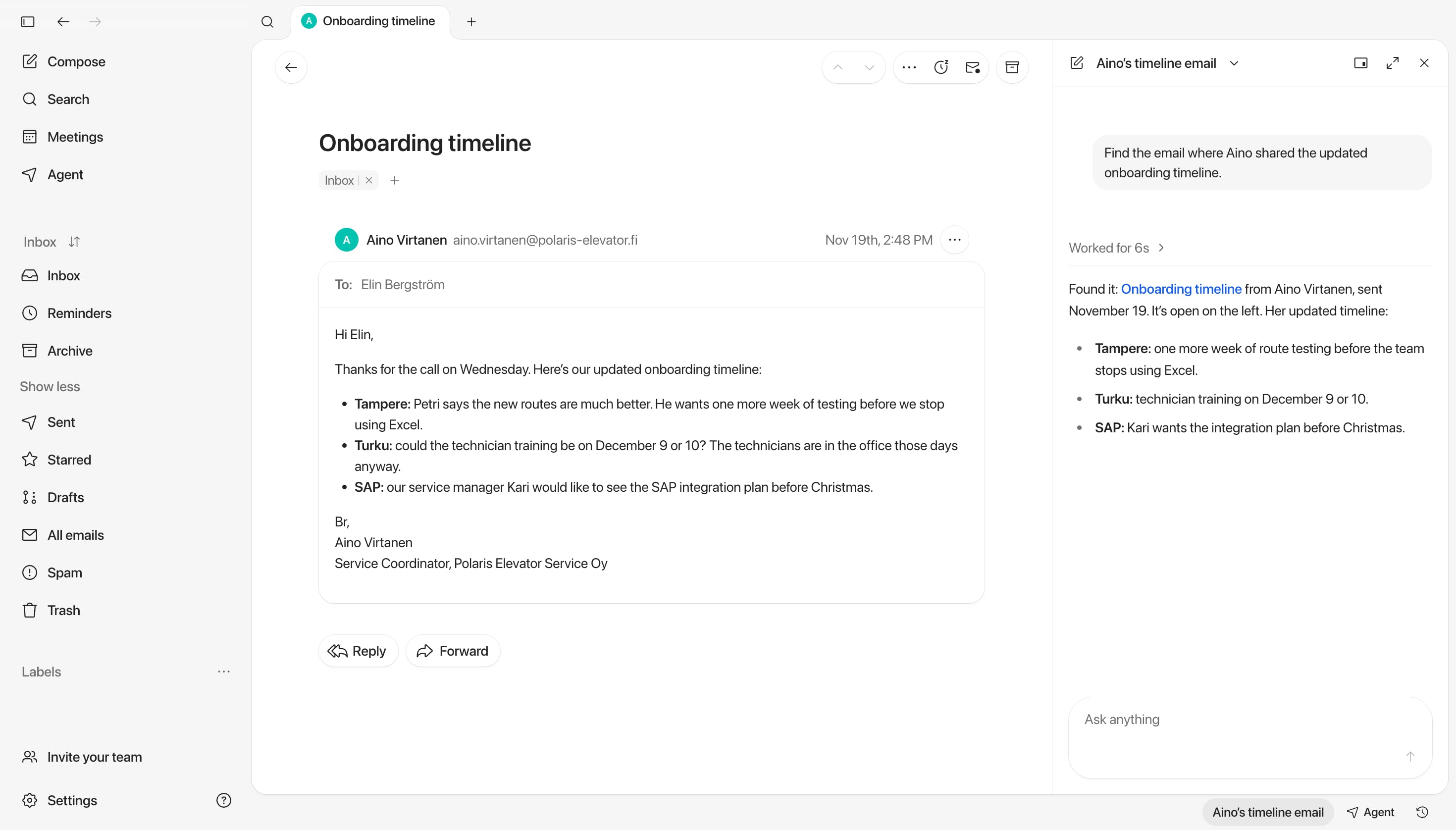
Ask Scape to find an email by sender, topic, project, or a phrase you remember. It can summarize the thread and help you see what needs a response.
Ask Scape
Find the email where Aino shared the updated onboarding timeline.
Organize incoming email
Scape can sort incoming messages into categories you customize, helping you separate customer questions from updates, newsletters, and other email.
Prepare a reply
Ask Scape to draft a response using the current thread and relevant context. Review the draft for accuracy and make edits before sending.
Ask Scape
Draft a friendly reply asking the customer which onboarding date works best.
Scape does not send the message until you choose to send it. For Gmail filters you set up in Google, see How to filter emails in Gmail. To use Gmail and Outlook together, see Manage Gmail and Outlook in one inbox.
Related articles
Email triage for a busy work inbox
See what needs a reply, what can wait, and what you can come back to later.
Read moreManage Gmail and Outlook in one inbox
Keep work email from Gmail and Outlook close together in Scape.
Read moreHow to filter emails in Gmail
Create Gmail filters for the messages you want to organize.
Read more
Frequent questions
Answers to common questions. For anything else, the Scape team reads every email.
Contact ScapeCan I connect more than one Gmail account?
Scape supports connecting multiple inboxes. Your plan or organization setup may determine which features are available.
Does connecting Gmail change my address?
No. Scape connects to your existing Google account; it does not replace your email address.
Is Gmail content used to train AI models?
Scape does not use customer data to train AI models. See the security information for details about data handling.