Google Calendar integration
Use Google Calendar context to prepare for your next meeting.
 Hilma BengtssonUpdated
How to connect Google Calendar to Scape
Connect Google Calendar so Scape can use event details to help prepare for meetings and follow up.
- 1
Connect your Google account
Connect the Google account you use for work and grant Scape calendar access. Google Calendar is built into Scape, so there is no separate calendar app to add.
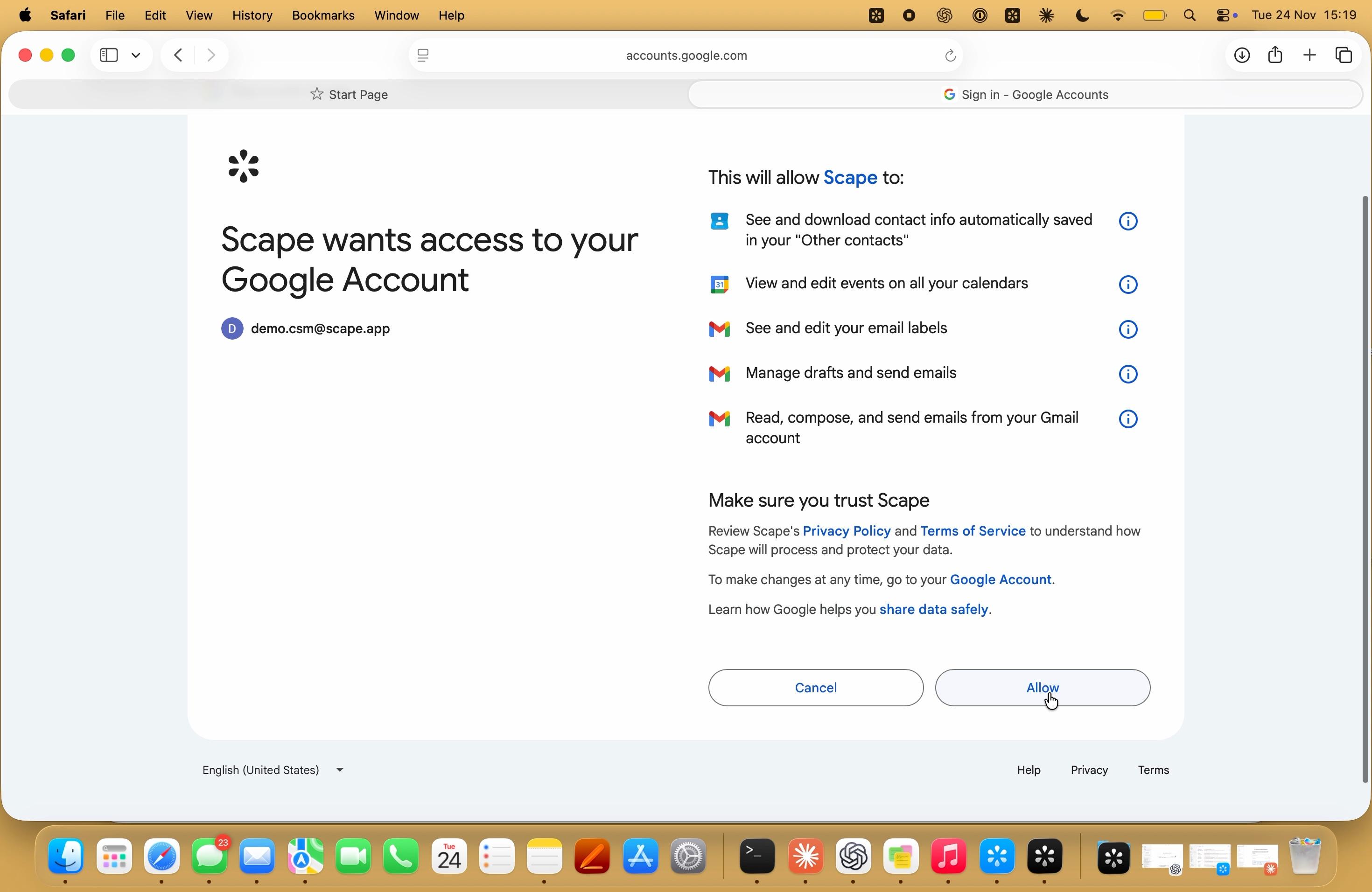
- 2
Check your calendar access
Open the calendar in Scape and check an upcoming event, or ask Scape about your schedule. If calendar access is not enabled, follow the Google permission prompt for your connected account.
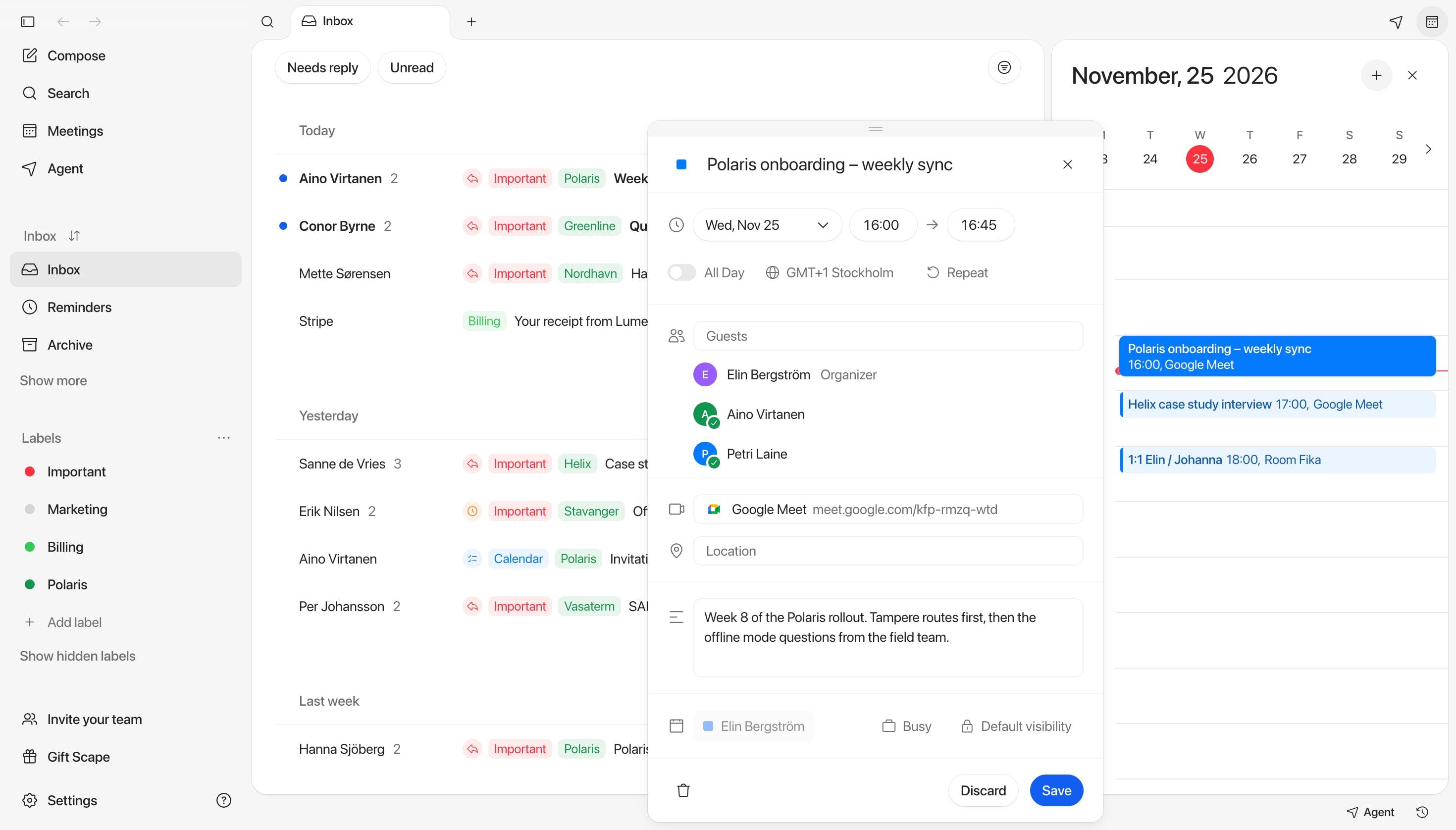
How to use Google Calendar in Scape
Prepare for an upcoming meeting
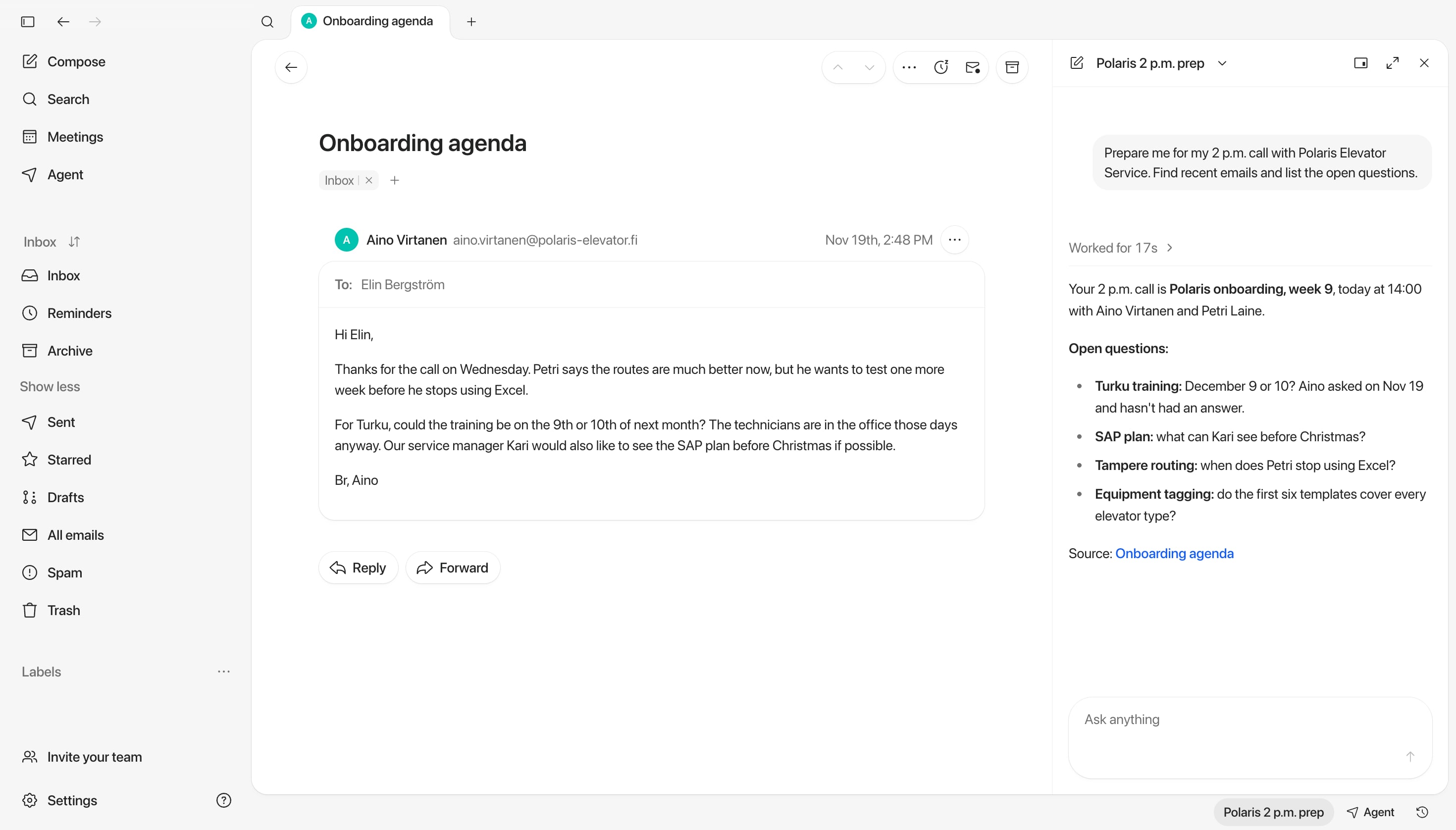
Scape can use event details, attendees, and available calendar context to help identify a meeting and gather related information from connected email or meeting notes.
Ask Scape
Prepare me for my 2 p.m. call with Polaris Elevator Service. Find recent emails and list the open questions.
Check your schedule and availability
Ask Scape to look up calendar events or help you find an open time. Calendar information and availability depend on the account you connected and the access granted.
Update an event with approval
You can ask Scape to prepare an event change, such as updating details or responding to an invitation. Scape shows the proposed action for your review before making the change.
Ask Scape
Move my project check-in to Friday afternoon and show me the change before saving.
Review the date, time, guests, and event details before approving. For meeting prep ideas, see Prepare for a meeting with AI.
Related articles
Gmail integration
Connect Gmail to search email, organize messages, and prepare replies in Scape.
Read morePrepare for a meeting with AI
Find the context you need before your next customer call.
Read moreDraft follow-up emails from meeting notes
Start with what was agreed, then check the draft before it goes out.
Read more
Frequent questions
Answers to common questions. For anything else, the Scape team reads every email.
Contact ScapeCan Scape read my Google Calendar?
Yes, after you connect the Google account and authorize calendar access. Scape can use event details to help with meeting preparation.
Can Scape change a calendar event?
Scape can prepare supported event changes and asks for your approval before applying them.
Does a bot join my calendar meetings?
No. Scape’s supported meeting recorder captures locally without adding a bot to the call.