Team email management for customer-facing teams
Keep customer context close while your team shares the work of replying.
 Hilma BengtssonUpdated
Keep customer context available to the people replying
When several people help the same customers, useful context can end up scattered across personal inboxes, team chat, and project tools. A shared process helps the team see what has happened, what the customer needs, and who is taking the next step.
Scape can help team members find email and meeting context, prepare replies, and look up information in connected apps. Conversation sharing and team chat are available to selected workspaces during rollout.
Find the latest customer context
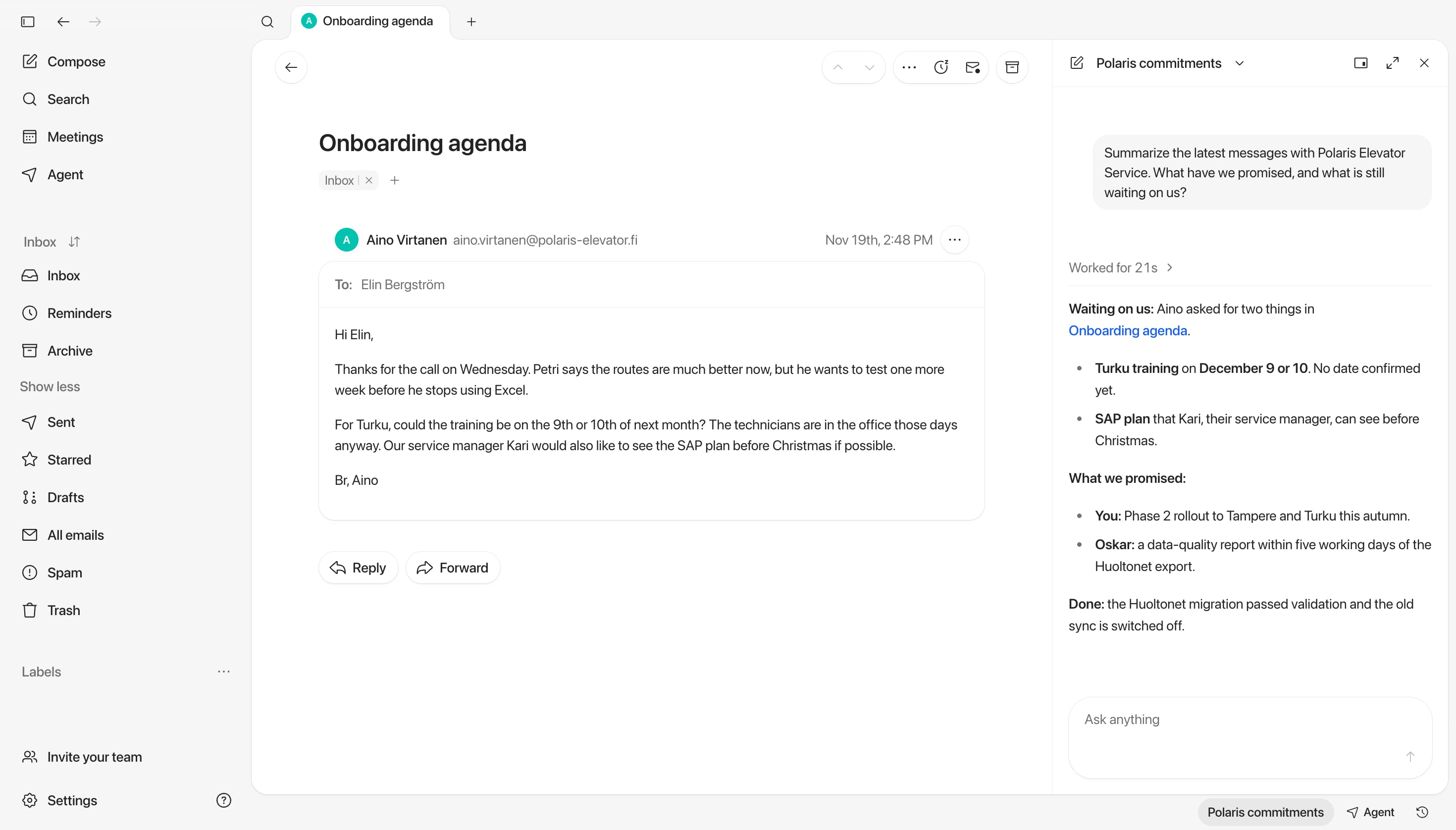
Ask Scape to summarize recent messages about a customer or account. It can help you catch up before replying, especially when a conversation has moved between colleagues.
Ask Scape
Summarize the latest messages with Polaris Elevator Service. What have we promised, and what is still waiting on us?
Check the original email before replying, especially if the thread includes a deadline, refund, or other commitment.
For repeat requests, begin by checking whether the thread already contains an approved answer. Scape can surface a suggested response for routine questions, while Quick Draft lets you give a specific instruction when the answer needs more care. Ask for a short response that uses the agreed product detail rather than starting a new explanation each time.
Ask Scape
Draft a reply to this onboarding question using the instructions already agreed in the thread. Use my writing style and ask only for the missing account detail.
Review the result before sending. An efficient reply still needs the right recipient, the current facts, and a clear next step.
Make handoffs easier
If a conversation moves from sales to support or from one teammate to another, ask Scape for a short handoff summary. Include the customer’s goal, relevant decisions, current status, and open questions.
Ask Scape
Prepare a handoff for the customer success team using recent emails and meeting notes. Include current goals and open items.
The receiving teammate can use the summary as a starting point and check the source messages for detail.
Keep replies consistent and personal
Scape can prepare a draft using the tone and context of the conversation. Give it the important points to include, then review the message before sending. A clear, personal reply can still sound like your team without copying a generic script.
For a team inbox process, decide who owns new messages, how urgent requests are escalated, and where the final customer decision is recorded. Scape can help find and summarize information, while your team remains responsible for the response.
Related articles
Read and reply from a shared Outlook inbox
Catch up on shared email and prepare a reply for review.
Read moreCatch up on a customer account after a sales handoff
Get the account history, open questions, and next steps in one useful summary.
Read moreSlack integration
Search Slack context and prepare messages or updates from the Scape Agent.
Read more
Frequent questions
Answers to common questions. For anything else, the Scape team reads every email.
Contact ScapeCan a team use Scape to manage customer email?
Scape can help team members find context and prepare replies. Shared access and collaboration features depend on your workspace and enabled plan.
Can Scape summarize a customer account?
Yes. Ask Scape to find recent messages and connected context about the account, then check the underlying sources for important details.
Can Scape send customer replies automatically?
No. Scape prepares a draft for review, and a person chooses whether to send it.